You can use the "magic wand" tool in the GIMP or Photoshop to solve complex mazes:
1. Increase contrast.
2. Select the right wall of the maze using the magic wand.
3. Select > Modify > Expand 4 pixels
4. Create new layer.
5. Fill with Red.
6. Select > Modify > Contract 2 pixels.
7. Delete. Now you’ve got a line tracing the solution.
8. Manually clean up the outer edge, and connect the dots.
9. Cake!
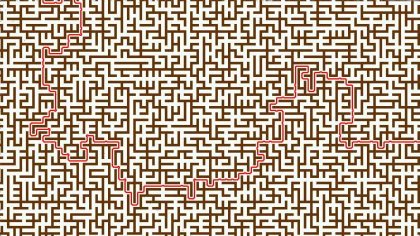
(via Digg)


